Dec 18, 2025
How to Build a No-Code Marketing Stack for Nonprofits

Averi Academy
Averi Team
8 minutes

In This Article
A no-code marketing stack helps nonprofits automate donor workflows, cut manual work, and scale communications without developers.
Updated:
Dec 18, 2025
Don’t Feed the Algorithm
The algorithm never sleeps, but you don’t have to feed it — Join our weekly newsletter for real insights on AI, human creativity & marketing execution.
Nonprofits often face tight budgets and limited resources, making it hard to manage marketing effectively. No-code tools offer a simple, cost-effective way to automate tasks, improve efficiency, and focus on mission-critical goals without needing technical expertise. Here's how to create a no-code marketing stack tailored for your nonprofit:
Step 1: Assess Needs
Identify your top marketing challenges, set clear goals (e.g., increase donations by 15%), and evaluate your team's capacity and current tools for inefficiencies.
Step 2: Choose Tools
Select affordable, user-friendly tools that work together:
Step 3: Set Up the Stack
Integrate tools for seamless workflows. For example:
Use Airtable to track donors and campaigns.
Automate tasks with Zapier, like syncing donor data or sending thank-you emails.
Use Averi AI to create on-brand content efficiently.
Deploy segmented email campaigns with Mailchimp.
Step 4: Monitor and Improve
Track metrics like donor retention and email engagement. Adjust workflows monthly based on team feedback and performance data. Leverage nonprofit discounts to maximize your budget.
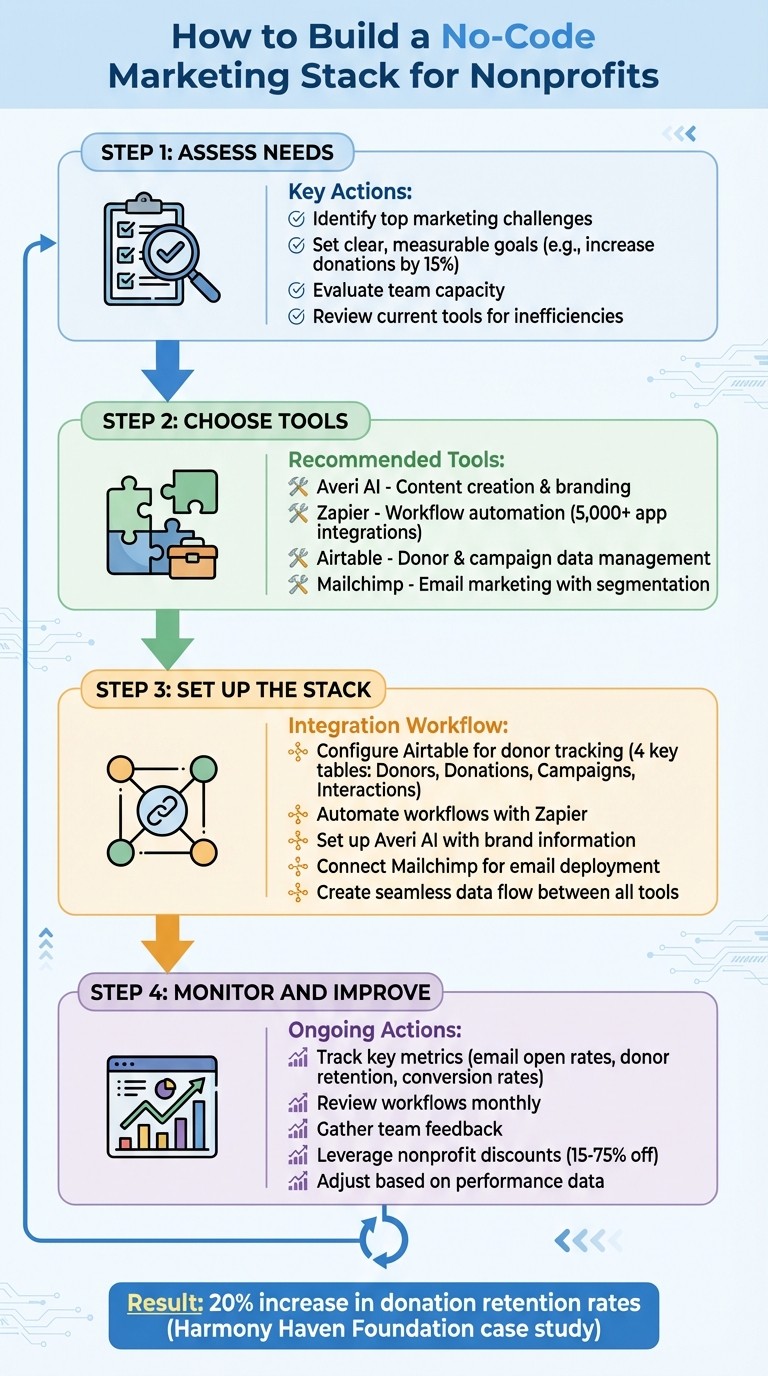
4-Step Process to Build a No-Code Marketing Stack for Nonprofits
Choosing the Right Marketing Technology Stack for Your Nonprofit
Step 1: Assess Your Nonprofit's Marketing Needs
Before diving into tools, take a step back and figure out what your nonprofit truly needs from its marketing efforts. This isn't about dreaming up a list of features - it’s about pinpointing the specific challenges holding your team back and defining the measurable goals you want to achieve.
Define Your Marketing Goals
Start by setting clear, actionable objectives. Instead of vague goals like "improve donor engagement", aim for something tangible: "increase monthly recurring donations by 15% within six months" or "grow our email subscriber list from 2,500 to 4,000 by the end of the year." Other examples might include increasing event attendance from 150 to 200 participants or bringing in 30 new volunteers each quarter. These specific benchmarks make it easier to measure success and determine if your tools are delivering results.
Focus on your top three priorities - whether that’s retaining donors, recruiting volunteers, or promoting events - and rank them by how much they impact your mission. Once you’ve nailed down these priorities, examine your existing tools to identify where they fall short or create inefficiencies.
Review Your Current Tools and Workflows
Take stock of the tools your team already relies on - email platforms, social media schedulers, spreadsheets, donation forms, and everything in between. Pay close attention to any redundancies or inefficiencies, often referred to as "GTM Bloat" (go-to-market bloat) [1].
Look for overlapping tools or processes that require manual intervention. For example, are you transferring data between systems by hand? Using multiple tools that do the same thing? These inefficiencies don’t just cost you in subscription fees - they also eat up valuable time, lead to errors, and create missed opportunities when data isn’t flowing smoothly.
Identify bottlenecks in your workflows. Are tasks like reformatting content for different platforms or chasing down approvals slowing you down? These are prime areas where automation can save time. Disconnected data, siloed teams, and undefined best practices often prevent nonprofits from fully benefiting from automation tools [1].
Evaluate Your Team's Skills and Capacity
Take an honest look at your team’s technical abilities and available bandwidth. While no-code tools are designed to be user-friendly, some require more setup and ongoing management than others. If your marketing director is already stretched thin with 50-hour workweeks, adding a complex tool - even one labeled "easy to use" - might end up creating more stress than it solves.
Think about who will be responsible for implementing and maintaining these tools. Is there someone on your team who enjoys experimenting with new software, or will this feel like an extra burden? Choose tools that align with your team’s actual capacity. A simple system that your team uses consistently is far more effective than a sophisticated one that sits half-finished because no one has the time to manage it.
Step 2: Choose Your Core No-Code Tools
Once you’ve outlined your needs, the next step is selecting the tools that will serve as the foundation of your marketing stack. The goal is to choose platforms that work together seamlessly while staying within your budget. These tools should cover key areas like content creation, task automation, data management, and email marketing, forming a unified system. Below are four tools that complement each other well and offer budget-friendly options.
Averi AI for Marketing Content and Execution
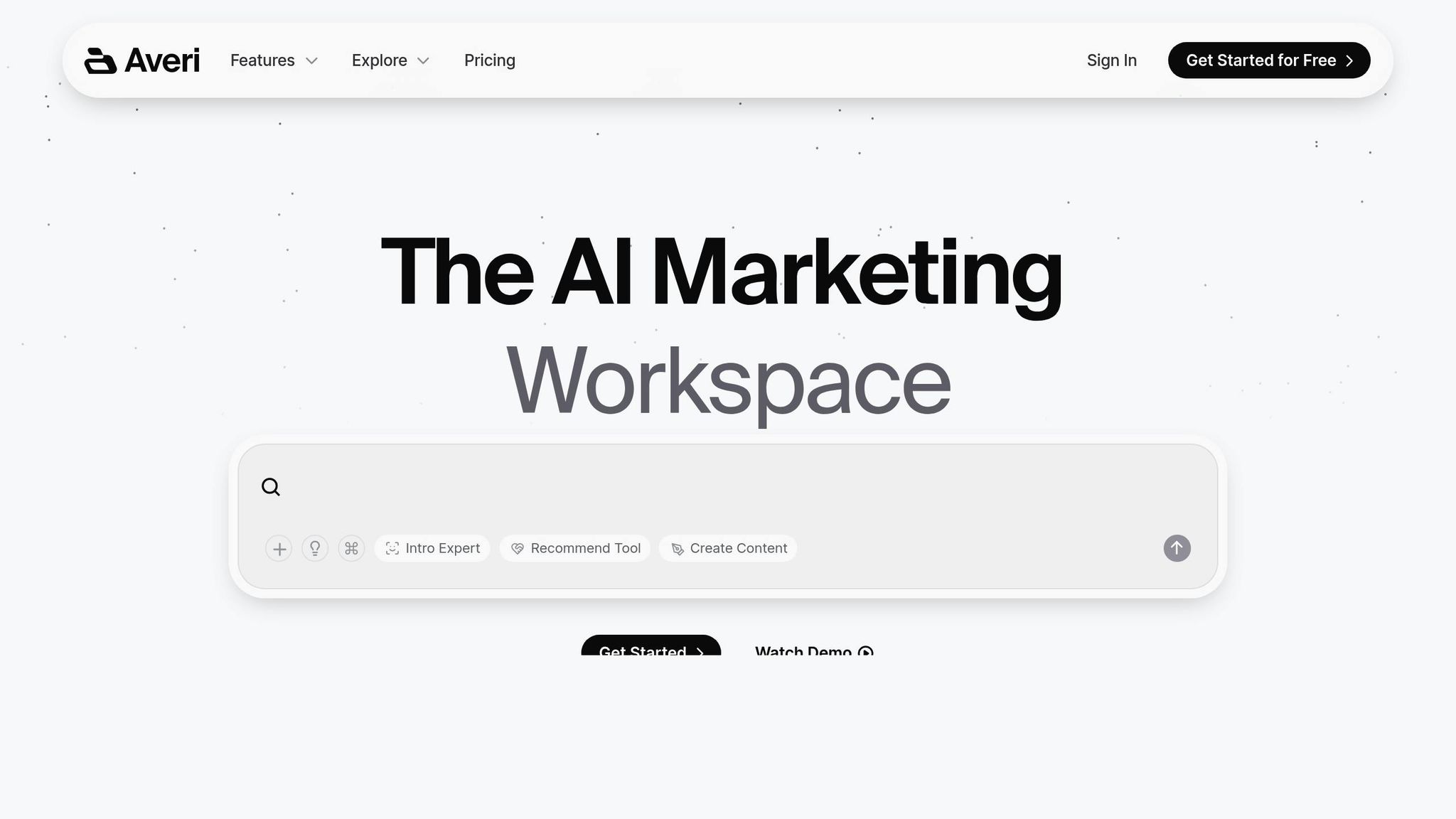
Averi AI is an AI Marketing Workspace designed to help nonprofits move from strategy to completed content - all without juggling multiple platforms. Everything happens in one streamlined space.
It starts with setting up your Brand Core, a central hub where you define your organization’s voice, mission, values, and target audiences. This helps the AI generate content that aligns with your nonprofit’s unique identity. When it’s time to create, the /create mode guides you through three steps: Discuss (refine your brief), Draft (AI generates content), and Edit (finalize it together). With this, you can quickly produce blog posts, email campaigns, social media content, and fundraising appeals in a fraction of the time it would normally take.
What makes Averi stand out is its Human Cortex feature. If the AI falls short, the platform connects you with vetted marketing experts who already have access to your brand guidelines and conversations - no need to start from scratch.
Averi offers a Free Plan, which includes 200 AI tokens per month and access to expert support, making it ideal for small nonprofits. The Plus Plan ($45/month) provides additional perks like 1,200 AI tokens, access to /create mode, custom folders for organizing campaigns, and enhanced privacy controls.
Zapier for Automating Tasks
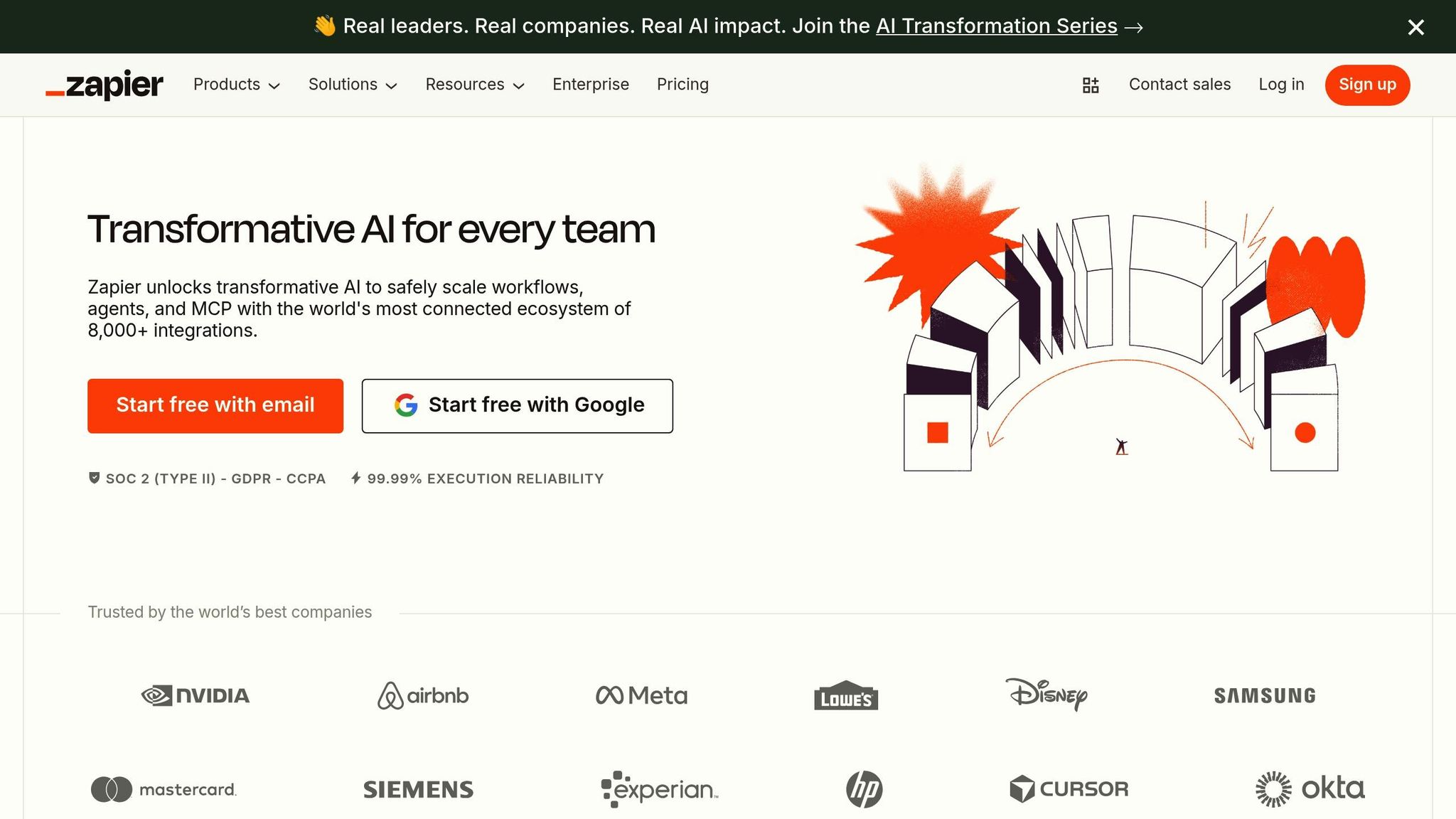
Zapier acts as the glue that connects your tools, automating repetitive tasks without requiring any coding skills. Think of it as a way to create “if this, then that” rules: for example, when a new donor fills out a form on your website, Zapier can automatically add them to your email list, update your donor database, and send a thank-you email - all without manual input.
With integrations for over 5,000 apps, Zapier works with most tools nonprofits already use. You can set up "Zaps" to trigger actions for specific scenarios, like event registrations, incoming donations, or publishing social media posts. This automation not only saves time but also minimizes the chances of data entry errors.
Airtable for Organizing Donor Data
Airtable combines the user-friendly nature of a spreadsheet with the advanced capabilities of a database, making it an excellent choice for nonprofits. It’s perfect for managing donor information, tracking campaign progress, and organizing event details. Unlike standard spreadsheets, Airtable allows you to create multiple “views” of your data, such as a calendar for events, a Kanban board for tasks, or a gallery for volunteer profiles.
The platform also supports custom databases tailored to your nonprofit’s needs. For instance, you can link donor contact info to their giving history, track volunteer availability alongside event schedules, or organize campaign assets by theme and deadlines. Airtable’s templates make it easy to get started with common nonprofit workflows.
Mailchimp for Email Campaigns
Mailchimp remains a go-to option for email marketing, especially for small organizations. It offers a free tier for nonprofits with up to 500 contacts and 1,000 monthly email sends. The platform includes pre-designed templates tailored for fundraising appeals, event invites, and donor updates.
Mailchimp’s real strength lies in its segmentation and automation features. You can create tailored email sequences for new donors versus long-time supporters, send automatic thank-you emails after donations, or re-engage subscribers who haven’t interacted in a while. Its detailed reporting tools show which subject lines and content resonate most with your audience, helping you fine-tune your campaigns over time.
Step 3: Set Up Your No-Code Marketing Stack
With your tools selected, it’s time to integrate donor data, streamline workflows, and launch targeted email campaigns. Each step builds on the last to create a connected and efficient marketing system.
Configure Airtable for Donor Tracking
Start by setting up an Airtable base to manage donor information. Create four key tables: Donors, Donations, Campaigns, and Interactions.
In the Donors table, include fields for essential details like names, email addresses, phone numbers, mailing addresses, communication preferences, and a unique donor ID. Add a single-select field called "Donor Segment" with options such as "First-time Donor", "Major Donor", "Volunteer", "Lapsed Donor", and "Event Attendee." This segmentation will be invaluable for sending targeted communications.
The Donations table should capture donation amounts, dates, payment methods, and a linked field to connect each donation to the corresponding donor record.
Use the Campaigns table to track campaign details, including names, start and end dates, fundraising goals, and results.
The Interactions table logs every engagement, from emails and phone calls to events attended and specific donor interests.
For example, Harmony Haven Foundation, a nonprofit aiding homeless families, implemented this Airtable structure. By creating separate tables for donors, donations, and interactions, and customizing fields to track contact details and donation history, they significantly reduced manual tasks and improved their donor management system [2].
Automate Workflows in Zapier
Zapier can help connect your tools and automate repetitive tasks, saving time and ensuring consistency.
Create a Zap that triggers when a new donation is recorded in Airtable. Set Airtable as the trigger app and select "New Record in View" for the Donations table. Map the donor’s email and "Donor Segment" field to Mailchimp, assign the correct audience tag, and send a personalized thank-you email using a Mailchimp template. Harmony Haven Foundation used this exact automation to enhance donor engagement without adding extra work [2].
Build additional Zaps to automatically add event registrants from website forms into both Airtable and Mailchimp. You can also set up a Zap to post campaign updates to social media when a campaign is marked "Ready to Share" in Airtable.
Always test your Zaps with sample data before activating them to ensure everything runs smoothly.
Set Up Averi AI with Your Brand Information
In Averi AI’s Brand Core, input your nonprofit’s mission, values, and the causes you support. Be as specific as possible. For instance, instead of saying, "We help families", provide more detail like, "We offer emergency housing, job training, and childcare support to families experiencing homelessness in the greater Chicago area."
Define your organization’s voice in the guidelines section. Include phrases you frequently use and words you prefer to avoid. Upload examples of your best-performing fundraising emails, blog posts, and social media posts to the Library, organizing them into folders such as donor communications, volunteer recruitment, and advocacy campaigns.
When creating content, use /create mode and select the appropriate folder to provide Averi with the right context. The tool’s three-phase process - Discuss, Draft, Edit - guides you through refining your brief, generating content, and finalizing it. If you need professional input, activate the Human Cortex to collaborate with experienced marketers who already have access to your brand guidelines and project history.
Connect Mailchimp for Email Deployment
In Mailchimp, set up audience segments that match the donor categories in your Airtable base, such as First-time Donor, Recurring Donor, and Event Attendee. Thanks to your Zapier integration, these tags will update automatically, eliminating the need for manual list management.
Design three automated email sequences:
A welcome series for new donors, consisting of three emails over two weeks introducing your mission and work.
Event reminders, sent three days and one day before scheduled events.
Monthly updates, highlighting recent impact stories and upcoming opportunities.
Use Mailchimp’s template editor to create branded email designs that align with your website and social media visuals. Link each sequence to the appropriate audience segment. For instance, your welcome series should target only "First-time Donors", while event reminders go to "Event Attendees." Test these sequences with sample contacts to ensure everything functions as expected before launching them to your broader list.
Step 4: Monitor and Improve Your Marketing Stack
Once your marketing stack is integrated, the next step is to keep a close eye on its performance and make adjustments to stay aligned with your donors' evolving needs.
Track Your Key Metrics
Pay attention to metrics that reflect donor engagement and fundraising success. For example, monitor email open rates, click-through rates, and conversion rates. With 33% of donors reporting that email is their most inspiring channel for giving, these figures carry real weight [5]. Keep tabs on donation conversion rates, donor retention rates, and broader impact metrics, such as the number of meals served or families supported, which can all be tracked in your Airtable base. Tools like Zapier can help by setting up alerts for unusual trends, like a sudden spike in bounce rates or a drop in donations, so you can address problems quickly [2].
Regularly tracking these metrics allows you to identify patterns and make data-driven adjustments to improve outcomes.
Review and Adjust Your Workflows
Make it a habit to review your workflows every month, incorporating feedback from your team to optimize efficiency. Look for recurring issues, such as Zaps that fail frequently, email campaigns with low engagement, or manual tasks that could be automated. For instance, if you notice that donors who attend events are more likely to donate again, you could set up a Zap to automatically add event attendees to a targeted nurture sequence in Mailchimp.
Team feedback is invaluable here. A volunteer coordinator might flag that event reminders aren’t reaching attendees in time, or a fundraising manager could identify a gap in follow-up communications with major donors. These insights help you refine your processes to ensure nothing falls through the cracks [2]. It’s also smart to design workflows with flexibility in mind, so they can scale as your organization grows in both donation volume and complexity.
Streamlining workflows not only saves time but also frees up resources that can be redirected toward other priorities, like taking advantage of nonprofit discounts.
Maximize Free Plans and Nonprofit Discounts
Many no-code platforms offer discounted or free plans specifically for nonprofits, helping you stretch your budget further. Here are some standout options:
Airtable: Offers 50% off Plus or Pro plans for qualifying organizations.
Zapier: Provides a 15% discount on any plan [4].
Mailchimp: Gives nonprofits 15% off paid plans.
Trello: Discounts Business Class and Enterprise plans by 75%.
Salesforce Nonprofit Cloud: Includes the first 10 subscriptions free through the Power of Us Program [4].
To access these discounts, visit each platform’s nonprofit program page and be prepared to provide proof of your tax-exempt status. One Executive Director of a Human Services Startup successfully built an entire marketing stack using free tiers and nonprofit discounts. This approach allowed their small team to focus on their mission and donor relationships while maintaining the flexibility to scale up tools as the organization grew - all without needing to overhaul their systems [3].
Conclusion
Building your no-code marketing stack doesn’t have to be overwhelming. Start small and focus on tools that address your most immediate needs. Many successful nonprofits begin with just one or two essential tools, gradually expanding their stack as they see results. This approach keeps overhead low while laying a strong foundation for growth [3].
Automation offers tangible benefits. By automating repetitive tasks like donor acknowledgments, event registrations, and data entry, your team can dedicate more time to advancing your mission [2]. Considering that 41% of nonprofits cite a lack of automation as a major challenge and 35% say manual reporting eats up valuable time, even modest automation upgrades can make a noticeable difference in efficiency [6].
For instance, you might start with tools like Airtable for donor tracking and use Zapier to connect it to your email platform. Once you’ve fine-tuned these workflows and measured their impact, you can gradually add more tools as your performance metrics justify it [7]. One of the great advantages of no-code tools is their flexibility - you can upgrade individual components without needing to overhaul your entire system. As one nonprofit leader noted, this adaptability is key to building a system that grows with your organization [3].
A thoughtfully designed marketing stack doesn’t just streamline processes - it also supports your team’s well-being. With nearly 70% of nonprofit leaders expressing concern about employee burnout [6], reducing manual workloads is more important than ever. For example, when Harmony Haven Foundation implemented Airtable and Zapier for donor management, they achieved a 20% increase in donation retention rates within six months, all while easing the workload on their small team [2].
Your marketing stack should empower your organization, not burden it. Start with one tool, automate a single workflow, and build from there. Over time, you’ll create a system that saves time, reduces stress, and lets you reinvest your energy into what matters most - your mission.
FAQs
What are the main advantages of using no-code tools for nonprofit marketing?
No-code tools make it easier for nonprofits to manage their marketing efforts without needing technical skills or hiring developers. With visual builders and ready-to-use integrations, teams can automate tasks like donor data entry, email campaigns, and social media scheduling. This frees up staff to concentrate on outreach and delivering programs rather than dealing with tech challenges.
These tools are not only budget-friendly but also user-friendly, enabling nonprofits to build websites, landing pages, or even AI-driven content through platforms like Webflow, Squarespace, or Averi AI. They provide smaller organizations with the ability to create polished, engaging donor experiences, allowing them to compete with larger counterparts.
Additionally, no-code platforms improve integration and adaptability. Tools like Zapier connect systems such as CRM, email, and donation platforms, creating smooth workflows that cut down on errors and boost efficiency. The result is a quicker, more dynamic marketing system that lets nonprofits stay mission-focused while achieving stronger outcomes.
How can my nonprofit create a cost-effective no-code marketing stack?
To create a cost-effective no-code marketing stack, start by pinpointing your nonprofit's specific needs - whether it’s managing email campaigns, organizing donor databases, or setting up event registrations. Look for tools that provide free plans, discounted rates for nonprofits, or affordable workflows. For instance, Zapier is a great option to automate repetitive tasks and connect various apps without the need for a developer, saving both time and money. Pair it with tools like Airtable, which works seamlessly with Gmail and Google Ads, to centralize your data without investing in a full-scale CRM.
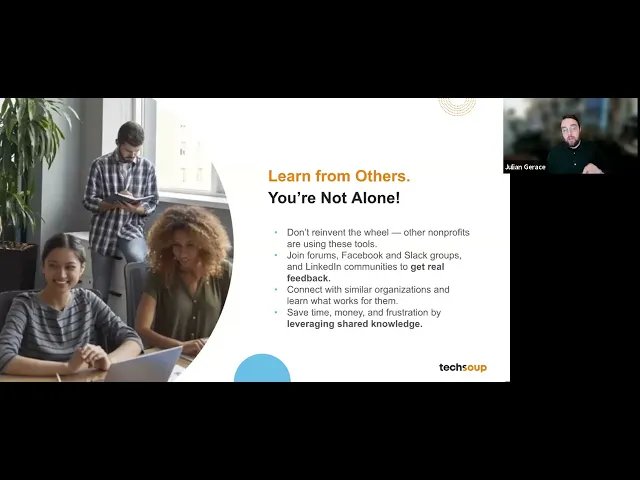
Explore nonprofit-focused programs like TechSoup, which offers discounts on services such as Constant Contact. Additionally, check out platforms like Nonprofit Stacks, where you can discover pre-built workflows that have already been tested by other organizations. Make it a habit to regularly evaluate your overall costs, including subscriptions and any add-ons, while keeping an eye on key metrics like donor acquisition costs or campaign ROI. By leveraging free or discounted tools, tapping into community-shared insights, and continuously monitoring expenses, you can build an efficient marketing stack that stretches your budget further.
What if my team doesn’t have the technical skills to use no-code tools?
If your team is new to no-code tools, it's best to start with platforms that prioritize ease of use. For instance, Zapier simplifies automation with its intuitive drag-and-drop interface, enabling you to connect apps like Airtable, Gmail, or Google Ads without writing a single line of code. Many of these platforms come with templates and step-by-step instructions, making it easy to set up workflows for tasks such as donor engagement or campaign tracking.
Another great resource is Nonprofit Stacks, which provides pre-built workflows specifically designed for nonprofits. These workflows are easy to tweak, so you can save time and effort compared to building everything from scratch. Begin with automating just one process to keep things manageable, and then gradually expand as your team becomes more comfortable.
For additional support, consider AI-driven tools like Averi AI, which can help with tasks such as creating workflows or drafting content using natural language. If your needs are more complex, you might temporarily bring in a no-code consultant or use services like TechSoup to help you get up and running. This way, you can implement an effective marketing stack right away while giving your team the opportunity to build their skills over time.