
In This Article
Learn how to effectively run YouTube ads for consumer apps, from types of ads to strategies for maximizing downloads and engagement.
Updated:
Nov 12, 2025
Don’t Feed the Algorithm
The algorithm never sleeps, but you don’t have to feed it — Join our weekly newsletter for real insights on AI, human creativity & marketing execution.
YouTube ads can make your app known to the right people and help get more downloads. They are good because they show what your app does, aiming at users who like what they see, search, and watch. Here’s how to use YouTube ads well for telling about your app:
Types of Ads to Pick:
Skippable In-Stream Ads: Short videos that people can skip after 5 seconds. Good for saving money while promoting your app.
Non-Skippable Ads: These last up to 15 seconds and make sure people watch them fully, great for making your app known.
Bumper Ads: Fast 6-second clips for hitting home important points.
In-Feed Video Ads: Show up in search or next to other videos, great for a full look at your app.
Masthead Ads: Top spot on YouTube's main page for the best chance to be seen.
How to Start:
Make a Google Ads profile and connect it to your app store profiles.
Choose what you aim for (like downloads or buys inside the app).
Use tools like Google Ads SDK or Firebase to see how ads change things.
Plan your money and pick how you'll bid (like Target CPA or Maximize Conversions).
Making Ads That Work:
Catch eyes in the first 3-5 seconds by showing your app clearly.
Stick to one main thing or story.
Make ads for phones, using big pictures and words.
Say clearly what to do next (like "Download now" or "Start free").
Watch and Make Better:
Look at things like Cost-Per-Install, how many stay, and money back from ads.
Try different ad styles, target groups, and bid ways.
Change based on what the data shows to get better results.
Use AI Help: Tools like Averi AI can do stuff like checking who to target and changing bids for you, making your plans sharper and saving time.
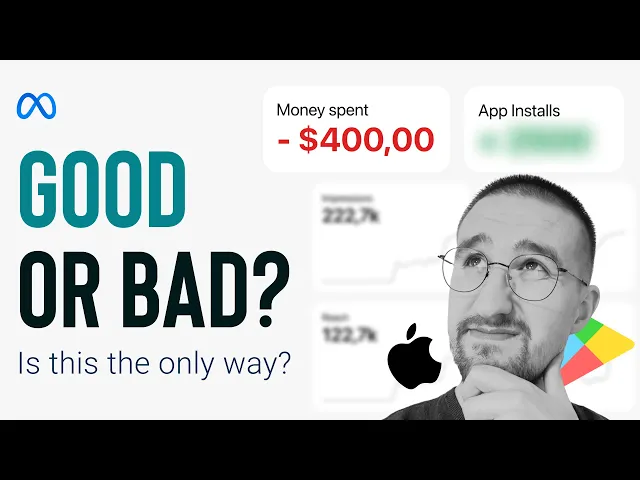
I've Spent $400 on Ads: How Many App Installs Did I Get?
YouTube Ad Types for App Ads
YouTube has many ad types fit for app ads, each made to hit certain goals like more downloads, better use or to make your brand known. Pick the right type based on your goals and money amount. Here’s a look at the available choices and how they can make your app ad plans better.
Skippable and Non-Skippable In-Stream Ads
Skippable in-stream ads show up before, during, or after YouTube videos and let viewers skip them after 5 seconds. You pay only if someone sees at least 30 seconds or clicks on the ad. This type is a money-saving way to show off your app’s key parts. Make a 15–30-second video that grabs viewers right away. Use live app screens or moves to show the app’s main plus.
Non-skippable in-stream ads last up to 15 seconds and viewers must watch them all. This ensures people see them, making it great for making your brand known. With this type, focus on a single big feature of your app and add a clear action call to use your short time well.
Both types help with app installs by giving direct download links and side banners, making them useful tools for app ads.
Bumper Ads and In-Feed Video Ads
Bumper ads are quick, 6-second non-skippable videos that play before other stuff. They’re good for backing up your brand or showing off a special feature or deal. These ads work best with a bigger plan, acting as quick prompts to your audience.
In-feed video ads pop up in YouTube search results, on the homepage, and in suggested video feeds. They look like normal YouTube videos but have a small "Ad" mark. Since viewers pick whether to click and watch, this type is great for apps that fix certain problems or need more details. Use this space for showing how it works, good words from users, or how-tos, as interested viewers are more likely to react and act.
Masthead Ads for Top Visibility
For plans looking to make a big impact, masthead ads offer top visibility. These ads are set at the top of YouTube’s homepage, making sure they reach a huge crowd. With a large video player plus images and headlines, masthead ads show many ways to point out your app’s value.
This type is perfect for big app starts or strong campaigns where the aim is to start talk and drive lots of downloads. If your app has wide appeal and you have a big ad budget, masthead ads can help get you a lot of notice and views.
Starting Your YouTube Ad Drive
Starting a YouTube ad drive means you need to set up your accounts, set clear goals, track your results, and plan your cash flow. Here's a step-by-step to make this easy.
Making and Linking Google Ads and App Store Accounts
Start at ads.google.com to make a Google Ads account. Once set up, connect your app store accounts for right tracking of downloads. You find this to set up in the Linked Accounts area in the Tools & Settings menu.
For iOS apps: Link your Apple App Store Connect account with the App stores option.
For Android apps: Add your Google Play Console account the same way.
Having these links let you see how many people download your app after seeing your ad, and know more than just how many watched your ad or clicked it.
Now that it is set, you can set your drive goals and start tracking conversions.
Setting Drive Goals and Tracking Conversions
Pick a main goal for your campaign - like more app downloads or getting users to sign up or buy something in your app. For most apps, picking the app promotion goal is good because it reaches people who are likely to get your app.
Use install tracking to keep an eye on app downloads.
Use in-app action tracking to see user actions like sign-ups or buys.
For deeper info, add the Google Ads SDK or use Firebase, which gives deep looks into what users do after they get the app.
Also, set up your attributing time frame, which is how long after someone sees your ad that they do something and it counts as a result. Usually, this is 30 days, but you can change this based on your app's type and user steps.
Planning Cash Flow and Picking a Bidding Way
Begin by deciding your target cost per install (CPI) and figuring out how many installs you want. Set your daily budget to give enough data for Google's systems to work well - remember, more competitive app types might need more money.
When picking a bidding way, consider these choices:
Target CPA (Cost Per Acquisition): Good if you have a clear install cost goal.
Maximize Conversions: Aims for the most installs your budget can get.
Manual CPC (Cost Per Click): Lets you control spending per click, good for testing new types of people.
Making Top Video Ads for Apps
When your campaign is set, turn to make video ads that grab folks. The first bit is key - aim to get viewers hooked in 3–5 seconds by showing off what your app does best with a demo that thinks mobile-first. The right tactics in your video can make viewers want to act fast.
How to Build a Video Ad for More Hooks
A top app ad uses a clear path: hook, demo, benefit, and ask. The hook should tackle a usual trouble your folks have or just show your app at work.
Start with a bang by showing a big feature of your app or something that catches the eye. If your ad is for a fitness app, show someone doing a tough workout with your app right away. Don't waste time with long logos or slow starts - those first moments pick if viewers stay or skip.
Keep your ad tight and strong, better keep it 15 to 30 seconds. This time lets you show important bits without losing the viewer. While long ads might help for real complex apps, they often get skipped more and cost more per view.
Stick to one user story. Show someone opening your app, using a key part, and getting a clear win. Don't stuff in every feature - simple works better. End with a clear ask that connects right to what you showed. Skip "Download now" for something like "Start your first workout free" or "Track your expenses today."
Design for Mobile First
Most people watch ads on phones, so think small screens first. Vertical or square shapes are best for mobile like YouTube, as wide videos can cut off parts, making text hard to read or visuals less strong.
Use big, clear text and keep key details clear of spots that might get covered by YouTube's stuff. Show real phone use - use actual phone screen videos in hand mode with real finger moves. Avoid footage of tablets or big screens, as they don't feel right for mobile users.
Make your app icon clear and seen all through the video. Whether it’s in the screen's corner or shown during the ask, this makes users know your app in the store after they watch.
Plan for no sound viewing, as many watch videos without sound. Use clear text on the screen to share your message and make sure the pictures can tell the story alone. If you use sound, keep it easy and don’t let music distract from your words.
Show App Bits and Wins
Shape your video's wins to fit the groups you aim for. Show results, not just parts. For instance, don’t just say, "Our app has top budget tools", show someone looking at their phone and noting, "I saved $200 this month." This method hits home because it ties to real needs and fixes.
Use quick user reactions to make it real. Real clips build trust and show viewers what to expect. Record screen moves at a normal speed - too-fast demos can seem fake and puzzle viewers.
Add short social signs like "Join 2 million users" to up your trust score. Stuff made by users often does better than glossy studio clips because it feels more real and true.
Face usual worries head-on. If your app needs a paid plan, show the good stuff it brings. If it is a big download, talk about using it offline. And if it looks hard, show how easy it is to start.
At last, link your app’s pluses to everyday life. For instance, a recipe app could show someone picking quick dinner ideas while at the store, or a language app might show someone using it with their morning coffee. These common scenes help viewers see how your app works smooth in their everyday life.
Setting Up and Bettering Your Campaign
When you have linked your accounts and set your targets, you then start the real job. Putting a YouTube ad run to work is only the start - keeping an eye on it and making changes are key for good results.
Things to Check Before You Start
Before you press "start", make sure to check these key things to give your campaign the best start:
Tracking Set-Up: Check your Google Ads account is linked to your app store pages and that needed SDKs are in place. Without this setup, you can't tell which ads get you downloads.
Budget and Bids: Make sure your day-by-day budget and bids match what you aim for in your campaign.
Ad Link Check: Click on all ad options to check they go to the right app store page - be it iOS App Store or Google Play Store.
Who You Reach: Look over who you aim to reach to be sure you are on target, and check that you're not too limiting with where they are.
When You Show Ads: Set your ads to show when more people use your app. You can adjust this later as you get more data.
Once your ad is out there, watching how it does will help you see if it's working and where to make it better.
Main Things to Watch
To really know if your run is doing well, focus on things that show if your app is winning, not just big numbers. Here are the main things to keep track of:
Cost-per-Install (CPI): Watch how much it costs to get a new user and see how it stacks up to your target.
Install Rate: Look at how many see your ad and then download your app. What's good here changes based on the type of app.
Return on Ad Spend (ROAS): If your app makes money through buys or subs inside it, work out ROAS by looking at the money new users bring in compared to what you spend on ads. Set a goal that fits how you make money.
Stay Rates: Keep an eye on Day-1, Day-7, and Day-30 stay rates to make sure new users stick and use your app.
View-Through Conversions: Track when people see but don't click your ad - yet still download your app later. This shows a fuller effect of your campaign.
Looking at these will help you know what to do next to hone your campaign.
Try, Change, and Make Better
Making your campaign better is always moving forward. By trying and changing parts of your run, you can find what does the best. Here’s how to go about it:
Ad Changes: Make different ads with new hooks or words. Let each one run enough to see good data before you switch things up.
Group Targets: Try hitting new groups by copying your best ad and tweaking the settings. Keep your old group settings the same while you test new ones.
Bid Plans: If you see a gap between installs and user quality (like low stick-around rates), change your bid plan to aim for better users.
Ad Times: Look at your data to find when people are most likely to download or use your app. Set your ad times to these peak times.
Make Ads Better: Use info on where people stop engaging to boost your ad’s look and feel. A strong hook and clear action call are must-haves.
For drives with many changes and target groups, tools like Averi AI can help you watch performance and suggest updates based on new data trends. This lets you focus on big choices while automating smaller tasks.
After finding the best mix of ad design, group hitting, and bid plans, grow your budget bit by bit. This careful way gives the drive's algorithm time to adapt and keep up good results as you get bigger.
Using AI Tools for Campaign Management
Running YouTube ad campaigns involves juggling audience data, creative performance, bid management, and budget adjustments. AI tools simplify these processes by automating repetitive tasks, freeing you to focus on strategy while the technology handles the daily grind.
These platforms analyze your campaign data, identify patterns, and suggest improvements based on performance trends. They also help craft more effective ad content. Instead of manually sifting through metrics and making educated guesses, AI tools quickly pinpoint opportunities and flag potential issues. Let’s dive into how AI enhances audience targeting and creative performance for your campaigns.
AI for Audience Analysis and Creative Improvement
Once your campaign strategy is in place, AI tools take over to ensure ongoing optimization. They analyze audience behavior, identifying high-engagement demographics, the best times for app installs, and creative elements that resonate - details that might escape even the most diligent marketer.
For audience targeting, AI goes beyond basic demographics. It identifies lookalike segments by analyzing your top-performing users’ behaviors, such as install patterns, in-app activity, and retention rates. This approach uncovers new audience groups with shared characteristics, offering deeper insights into behavioral trends that drive engagement.
On the creative side, AI tools refine your messaging and visuals based on what’s proven effective. Averi AI, for example, uses marketing intelligence to provide tailored recommendations. Instead of generic advice like "improve your hook", these platforms suggest specific messaging angles and creative tweaks that align with your app’s unique value and target audience.
Automated Performance Monitoring and Bid Adjustments
AI tools continuously track campaign metrics, flagging issues like rising cost-per-install in real time. They can also adjust bids automatically, reallocating budget to high-performing audience segments without requiring manual oversight.
These systems learn from your past campaigns, applying successful strategies to optimize future efforts. Over time, your bidding strategy becomes more refined, requiring less hands-on management. AI tools can even predict trends in your campaign data, offering proactive recommendations to prevent performance dips. Beyond real-time adjustments, AI platforms consolidate campaign management into a unified system for smoother execution.
All-in-One Marketing Workspace Benefits
Managing YouTube ad campaigns often means switching between multiple tools. An AI-driven marketing workspace brings everything - strategy, analytics, creative production, and collaboration - into one platform.
Averi AI addresses this challenge by integrating all campaign functions into a single workspace. When it’s time to tweak your strategy based on performance data, everything you need - brand guidelines, audience insights, and campaign history - is readily available in one place.
This centralized approach also benefits from a compound learning effect. Each campaign, creative test, and optimization adds to a growing pool of historical data, giving you a stronger foundation for future efforts. Instead of starting from scratch, you build on past successes.
Working together in AI areas is a big plus. These spots link you with pros who know your campaign's setting, brand rules, and how well it does. This cuts out long briefings and makes sure your drives stay in a smooth, data-led plan. By using these AI tools, you can up your app downloads and get more user interest while making campaign work easier.
Main Points for Winning with YouTube Ads
Making good YouTube ads for apps needs a smart mix of plans, starting with picking the right ad types. You can get great results from ads you can skip if they catch your eye with a good story right at the start. Short, bumper ads are good for quick, main messages about what your app does best. For those looking at videos, ads right in the feed are great for showing more about your app’s parts with longer videos.
It's key to think about phone users when making ads. Ads must be right for small screens and grab attention fast. A good way to start is by showing a problem users face, then showing how your app fixes it, and ending with a call to go to the app store.
How you plan your budget and decide on bids is very important too. Starting with a set price for each install can help keep costs down, while automatic bidding gets better as you get more data from conversions. Many who do ads also spend a lot on groups that do well and try new groups a bit. These money plans go well with creative ways and using AI to get the best results.
AI tools like Averi AI make running campaigns easier by handling strategy, making ads, and tracking all in one spot. Over time, having more data helps to target and spend your budget better. AI tools speed up this by using insights from all your ad work, making tweaks better as you go.
It’s also key to watch more than just how many installs you get. Watching rates of who stays with the app and money measures like cost-per-buy and money made back gives you a full view of how well your ad work is doing.